
1. Before you start
Import a Company Entity from a registry, review the saved data and set monitoring.
You need a company name or registration number and access to a supported registry source. This example uses the non-premium Cambodia source and resolves Prince Bank to PRINCE BANK PLC..
Importing creates a maintained Entity immediately. It does not run a screening. Registry information varies by source and should be checked against the data you hold.
PRINCE BANK PLC. · Cambodia (KH)
Watch the workflow
The video is silent with captions. Any processing waits are shortened.
 Watch the walkthrough
2. Search and select the company
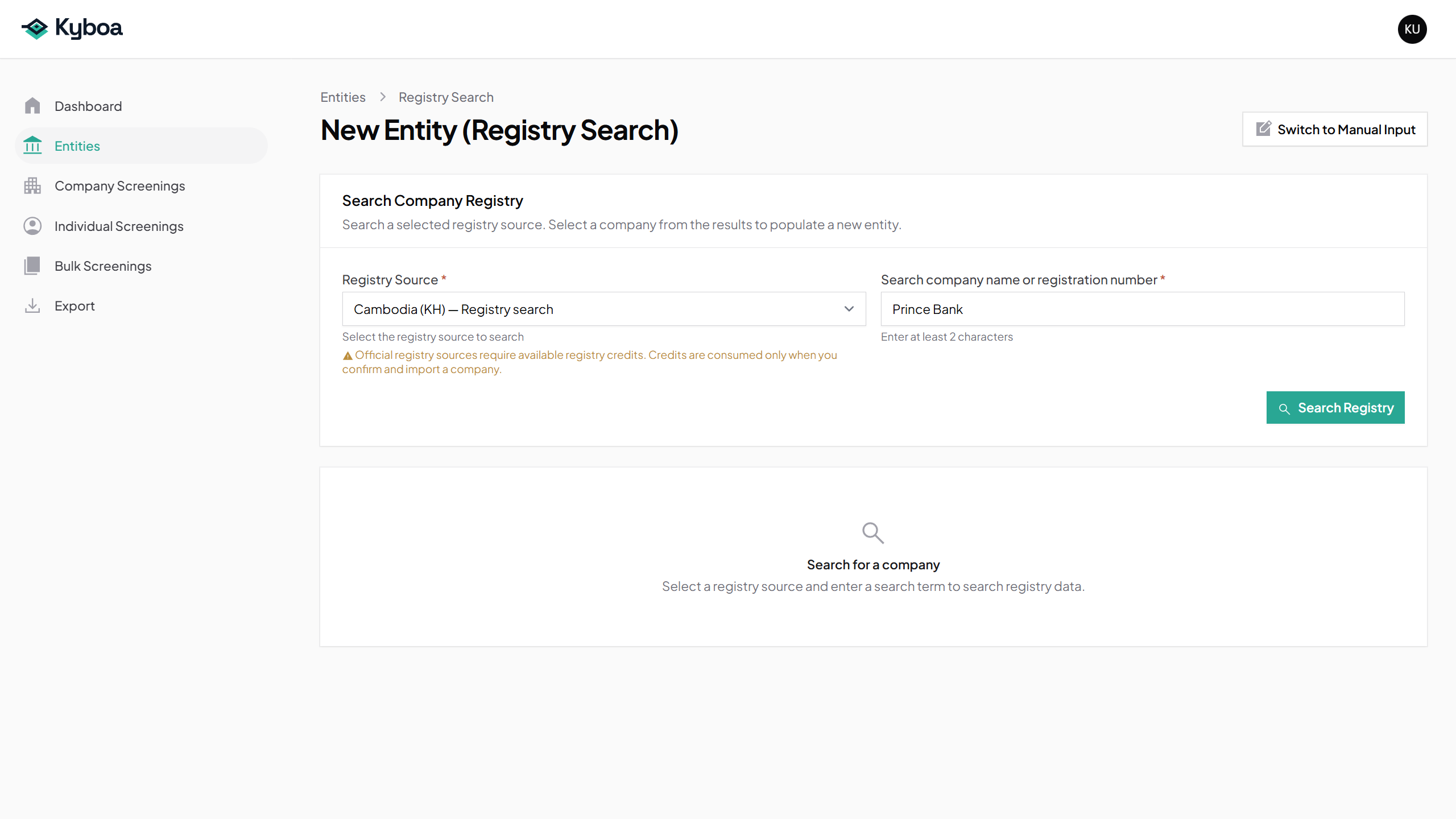
- Open Entities and choose New Entity.
- Choose Create from Registry.
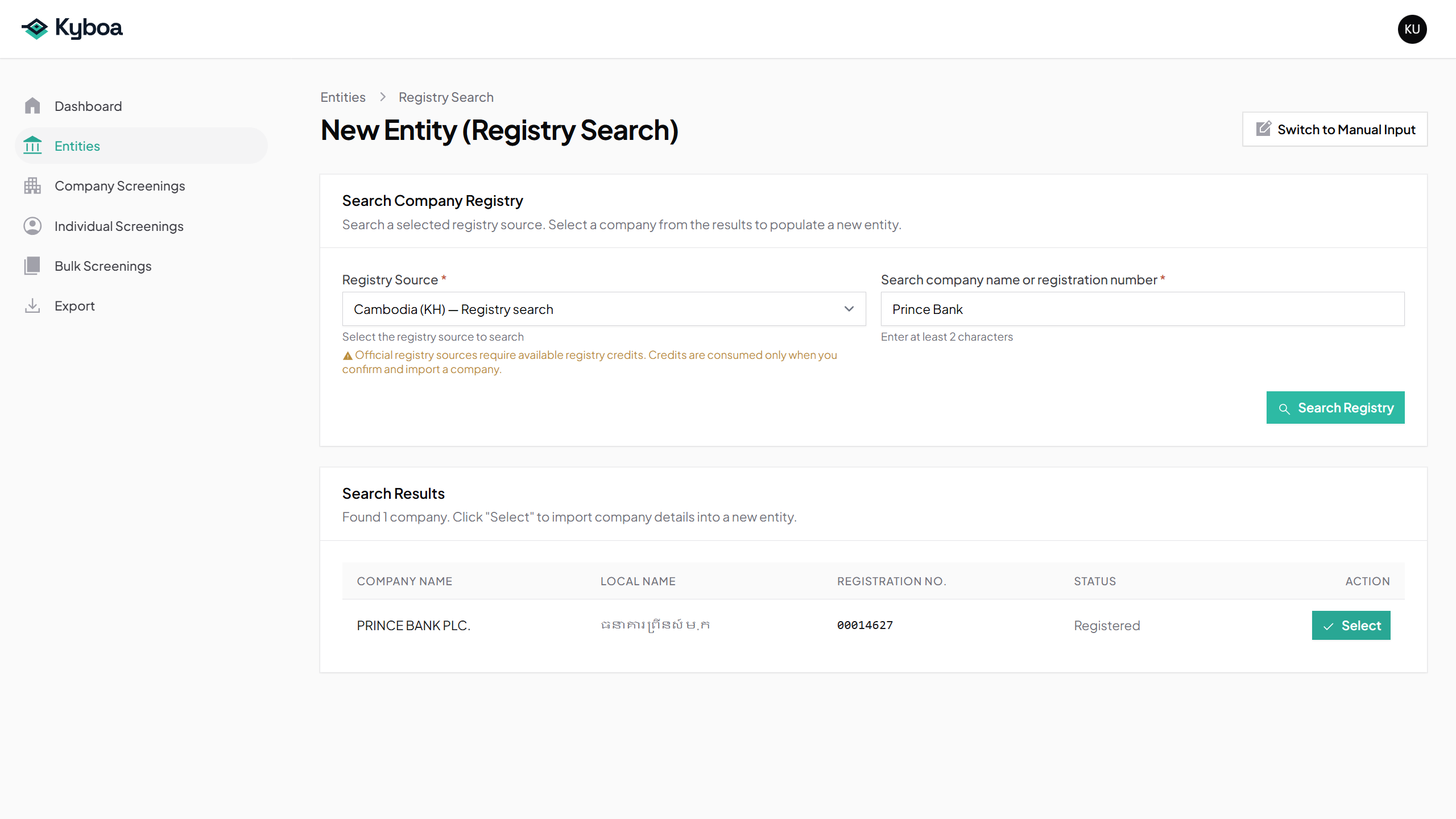
- Select Cambodia as Registry Source, enter Prince Bank and choose Search Registry.
- Check PRINCE BANK PLC. and registration number 00014627, then choose Select.
3. Confirm the import and review the Entity
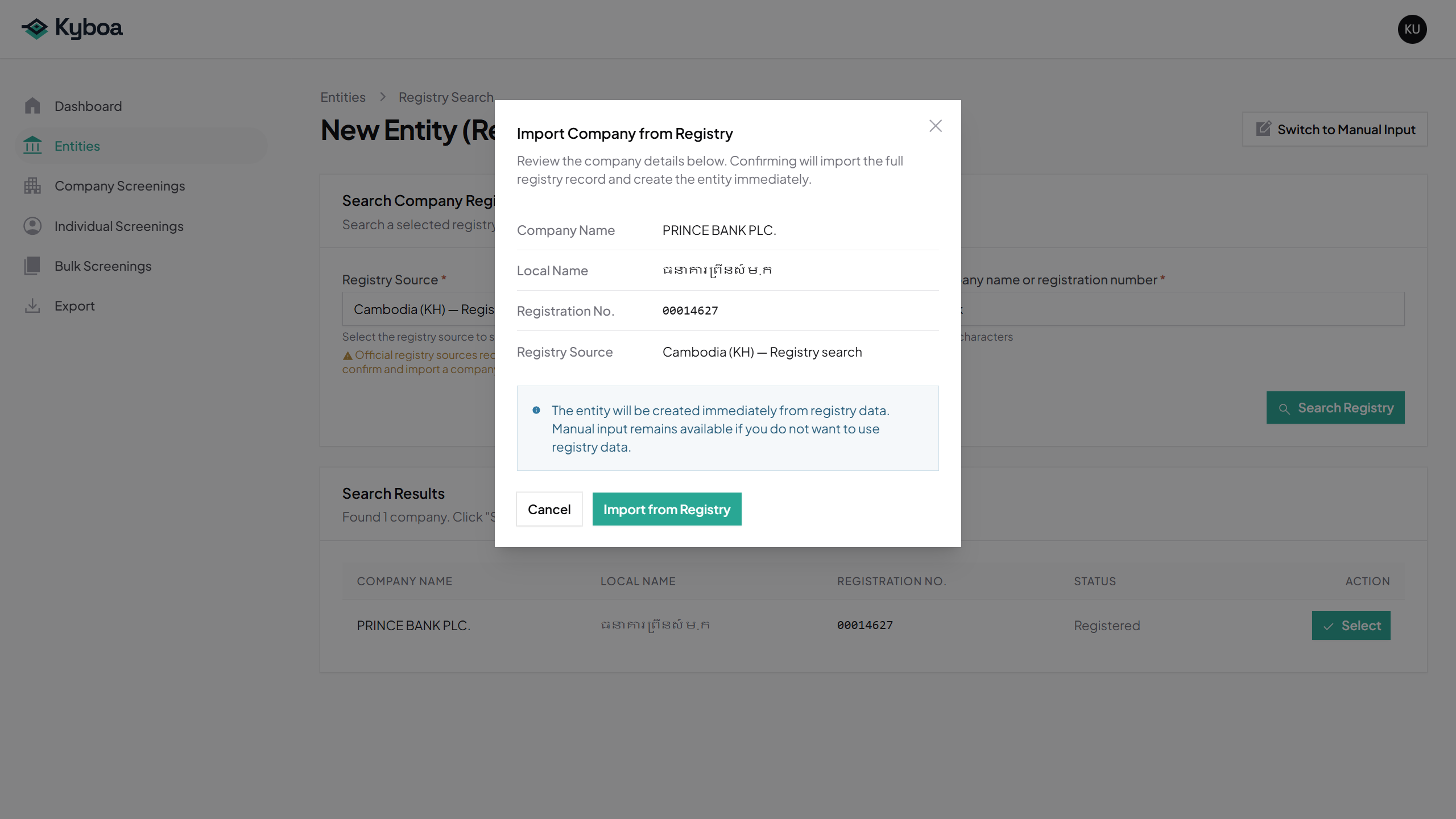
- Review the selected company in the confirmation.
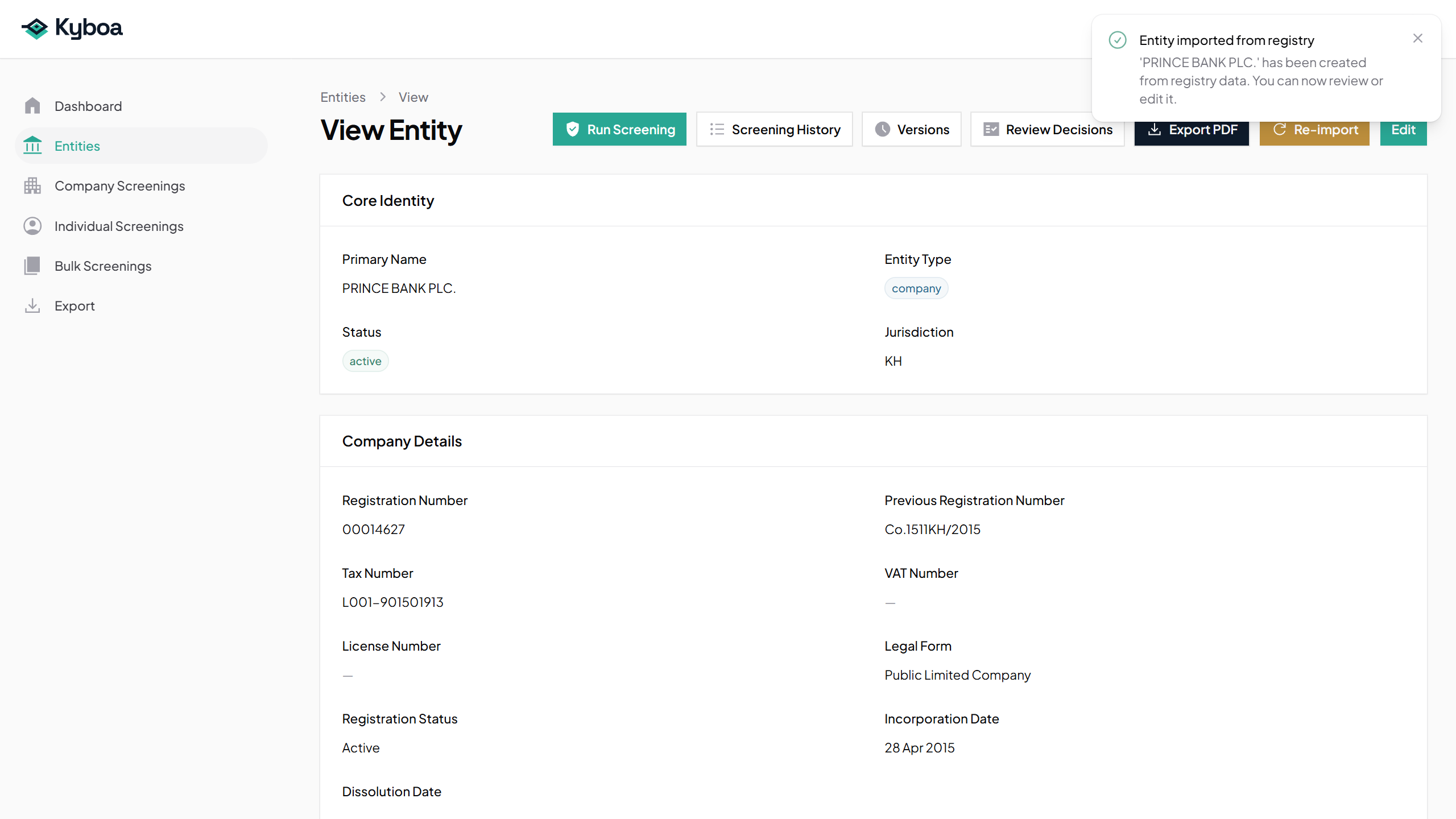
- Choose Import from Registry once. Kyboa imports the full available record and opens View Entity.
- Review the company identity, identifiers, addresses and any associated people supplied by the registry.
Premium registry sources use the same search and confirmation approach; any registry credit requirement is shown before confirmation.
4. Set Monthly monitoring
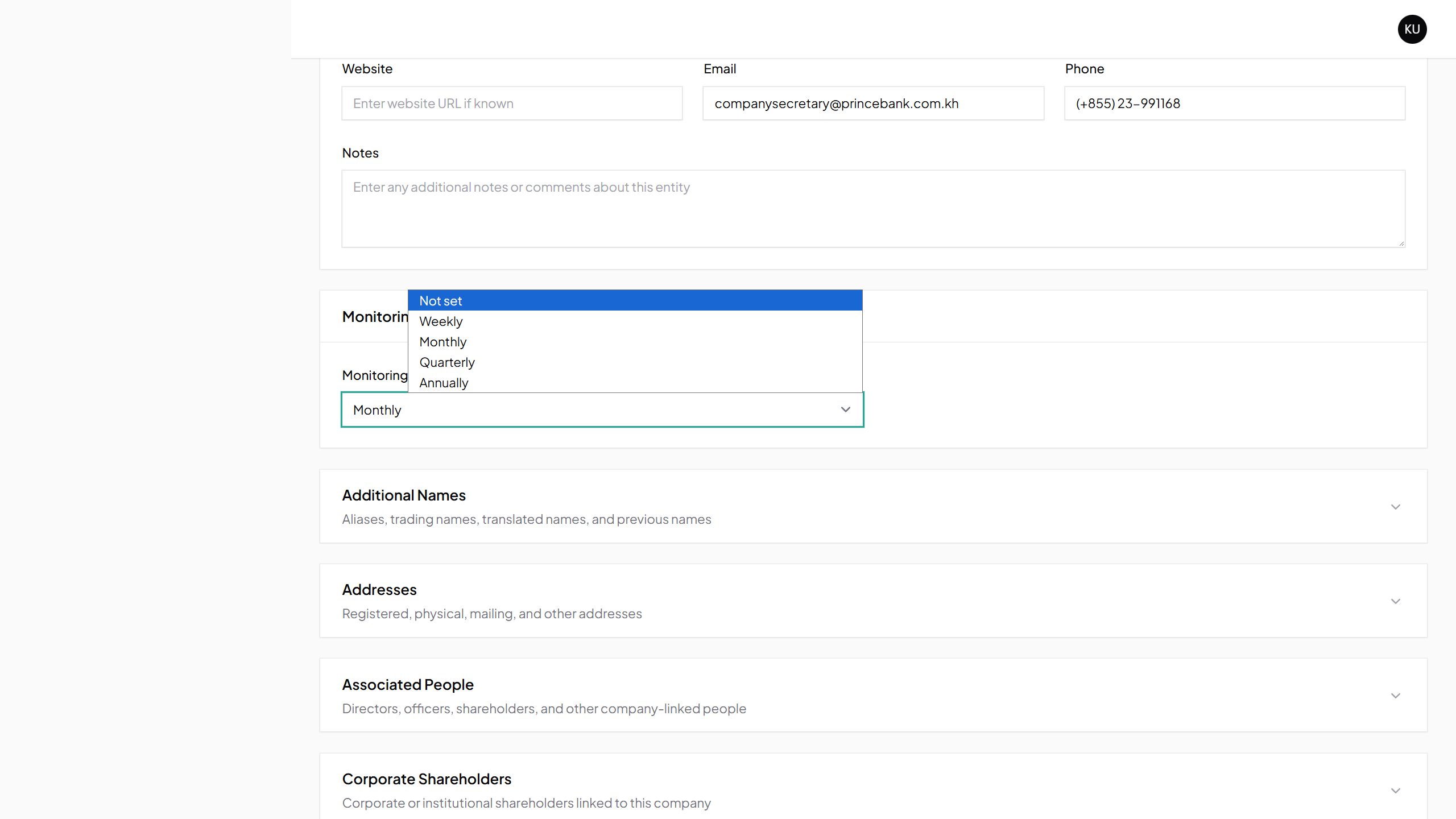
- On View Entity, choose Edit.
- Find Monitoring Frequency and select Monthly. You can also choose Quarterly or Annually.
- Choose Save changes.
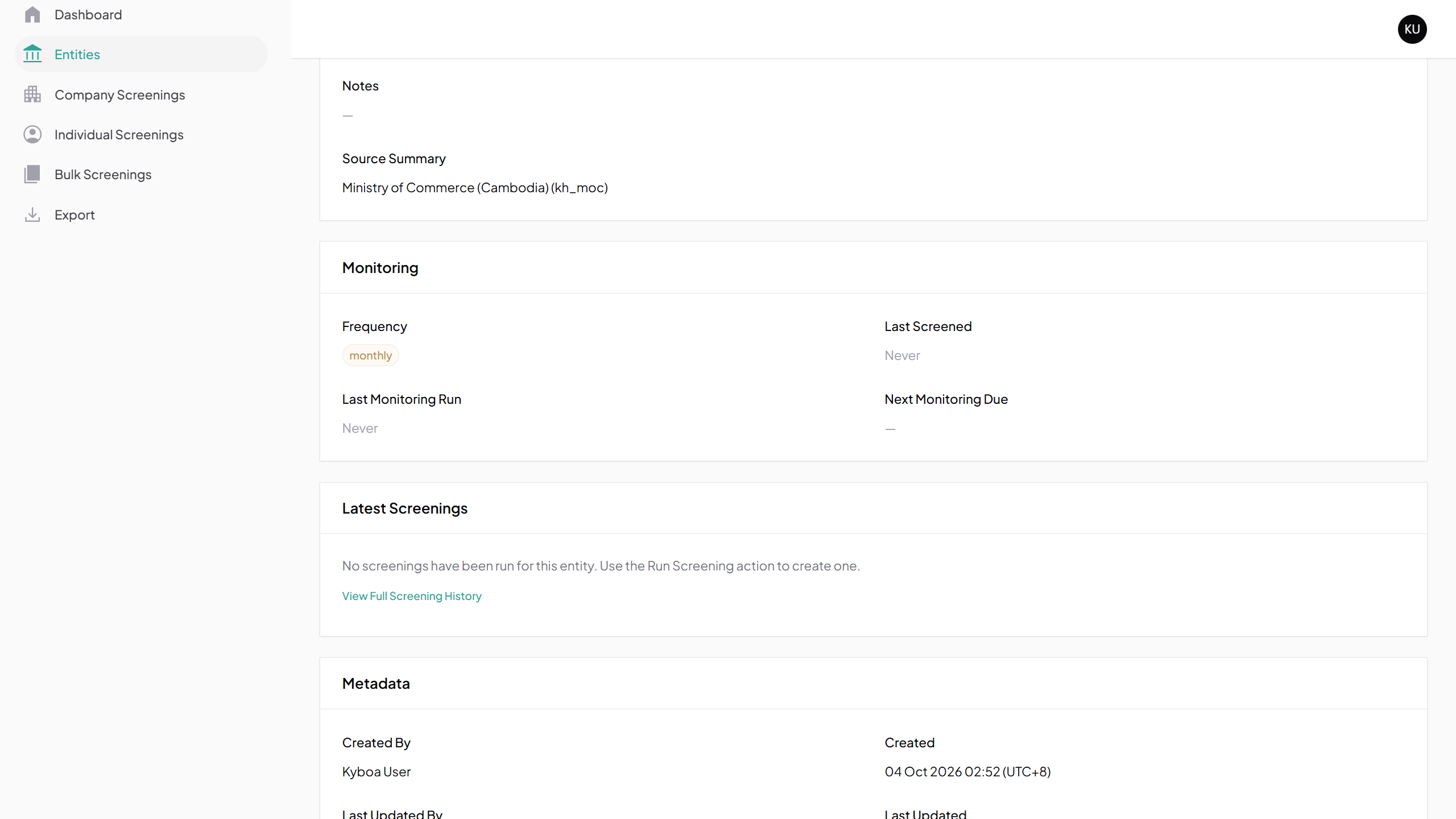
- Check the saved Monitoring section for Monthly. The next due date may initially be blank.
5. Use the saved Entity
Choose Edit whenever the client data needs updating. Use Run Screening for an immediate screening based on the saved data.
Continue with Use Entity Functions for the Prince Bank screening, populated history, Versions and PDF export.
6. Common questions
Complete the required Entity type, name and country or jurisdiction. Leave optional information blank when it is unknown.
If Kyboa finds an existing Entity, open and check that record before creating another. If a save fails, read the validation messages and correct the indicated fields.
If a registry returns no match, check the source and search term. If it is unavailable, try later or use Manual Input with the details you hold. Confirm a successful import on the Entities list before trying again.
7. Check completion
- The imported name, registration number and jurisdiction identify the correct company.
- You have checked the available registry data and its limitations.
- Monthly appears on the Entity as the saved monitoring frequency.
- The Entity is available in Entities for later screening or editing.